Mind map template
This template works on the following products:

*For all Lucid plan types
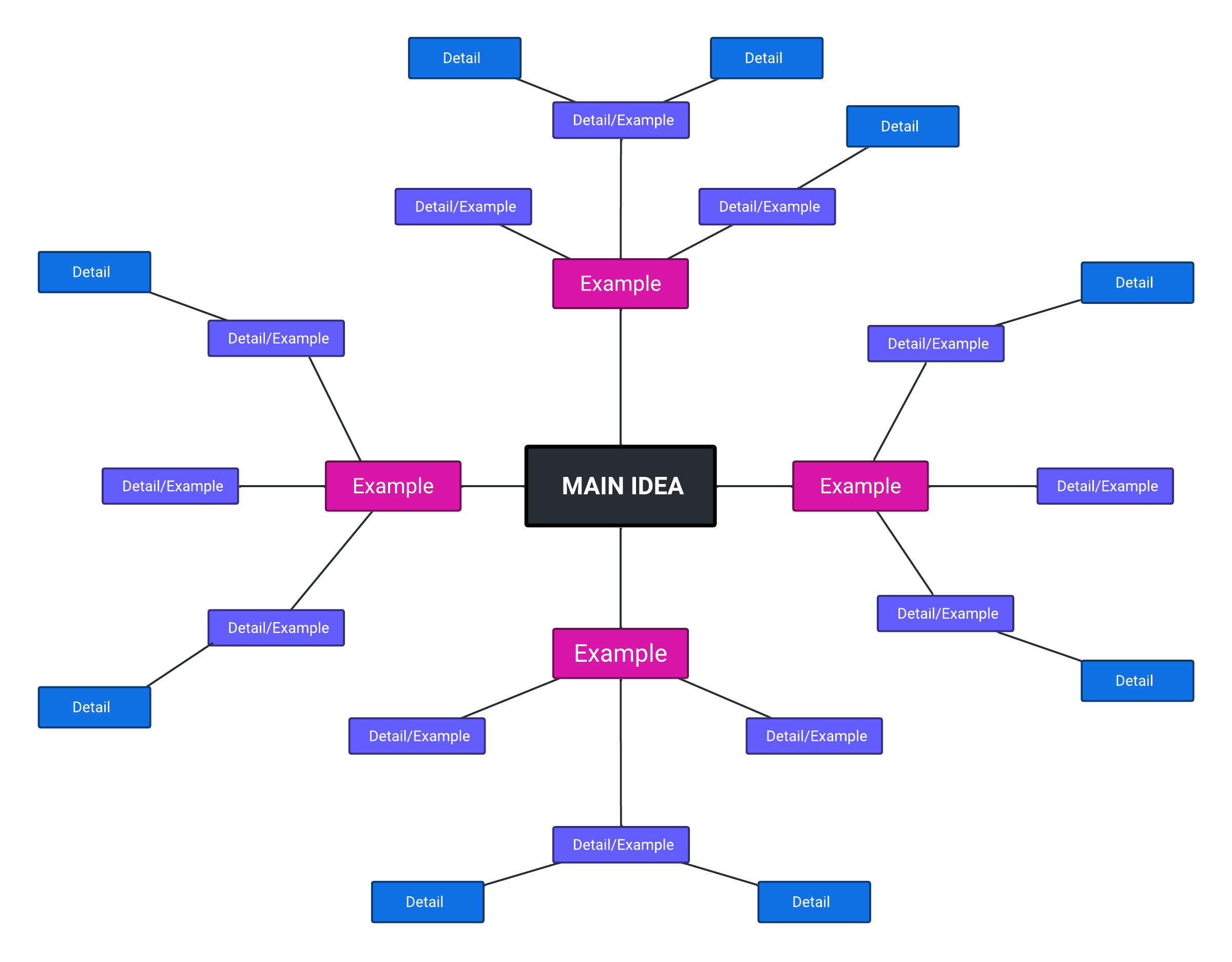
A mind map template helps visually represent information to see connections between ideas. Use Lucidchart to create an online mind map. Try for free!
All about our mind map template
When it comes to documenting, presenting, and processing information, it’s hard to beat a good visual. And when it comes to visuals, it’s hard to go wrong with a mind map.
What is a mind map?
Mind maps are a powerful tool that can be used for both generating new ideas and representing existing ones. So whether you’re brainstorming solutions to a problem or recalling information, consider using a mind map!
At the center of a mind map is a central concept, idea, or thought: What is the focus of your brainstorm? From that central idea, your mind map should branch out into related or subordinate concepts and ideas. And those branch out into even more related ideas. And so on. The resulting visual should look something like a web.
You’ll probably notice two things about the structure of mind maps. One, they are incredibly flexible. There is no limit to the number of branches, subconcepts, and relationships you can include—your mind map will be exactly as detailed as you need it to be. And two, the web-like appearance makes it incredibly easy to visualize and understand the relationships between each concept or idea.
How to use this mind map template
Originally, mind mapping was done the old-fashioned way: with a pencil and paper. But luckily, those days are behind us! Click “Use this template” to open a blank, beautifully styled mind map on your virtual whiteboard in Lucidspark.
Step 1: Create a free mind map in Lucid
By creating your mind map online, you can invite other team members to collaborate from anywhere, and the results of your brainstorm will be documented for future use. No more ideas lost to physical whiteboards.
Step 2: Determine your main topic
Type your central concept or idea in the central box, fill out the branches, and you’re off to the races.
Step 3: Add sub-topics to include in your map
If you need more text boxes, don’t worry—draw a line from an existing shape to add another connecting shape!
Step 4: Share your map with anyone
And the best part? You can share your mind map with colleagues, invite them to edit it, and access it from any computer! By using this online mind map template, you can ask team members, even those who work remotely, to participate from anywhere, and the results of your brainstorm will be documented for future use. No more ideas lost to physical whiteboards.
Are you more of a visual learner? Check out our video on how to create a mind map.
Mind Map Examples
There are different mind map types for different purposes. First you’ll want to figure out for you’ll be using your mind map to determine the type of mind map to use. Below are the most popular and often used mind map templates by Lucidchart’s millions of customers.
Bubble mind map
Most mind maps use a circular or bubble shape for topics and sub-topics. Here’s an example of a simple bubble mind map from Lucidchart. It’s a perfect template to use when mapping out ideas or thoughts that have one simple idea or focus. If you’re looking for a mind map for two subjects, try our double bubble map template. And if you’re new to Lucid, make sure to try out our free bubble mind map.
Idea mind map
This idea mind map is excellent for organizing your thoughts. Map out your thoughts and ideas to bring clarity to your writing, project and more. This is a great mind mapping template for students or writers who need a visual representation of their ideas. Try the idea mind map template.
Mind map with lines
Another popular mind map is our template of a mind map with lines. It’s free and perfect for those who need a mind map that’ll help you visually see the relations and connections between ideas or information. Try the mind map with lines template.
If you’re interested in seeing some of our other mind maps, look through a mind map templates and examples page.